Resume submissions you can pick up again
Uploading a batch of resumes is the moment screening work is easiest to lose. A dropped connection, an accidental refresh or a closed tab used to mean rebuilding the entire submission. Now your submission waits for you, exactly where you left it.
Why this changed
A single screening job can include up to 100 resumes, and real connections are not always stable. Before this update, an interruption during upload meant re-attaching every file and re-entering the job description from scratch.
What changed
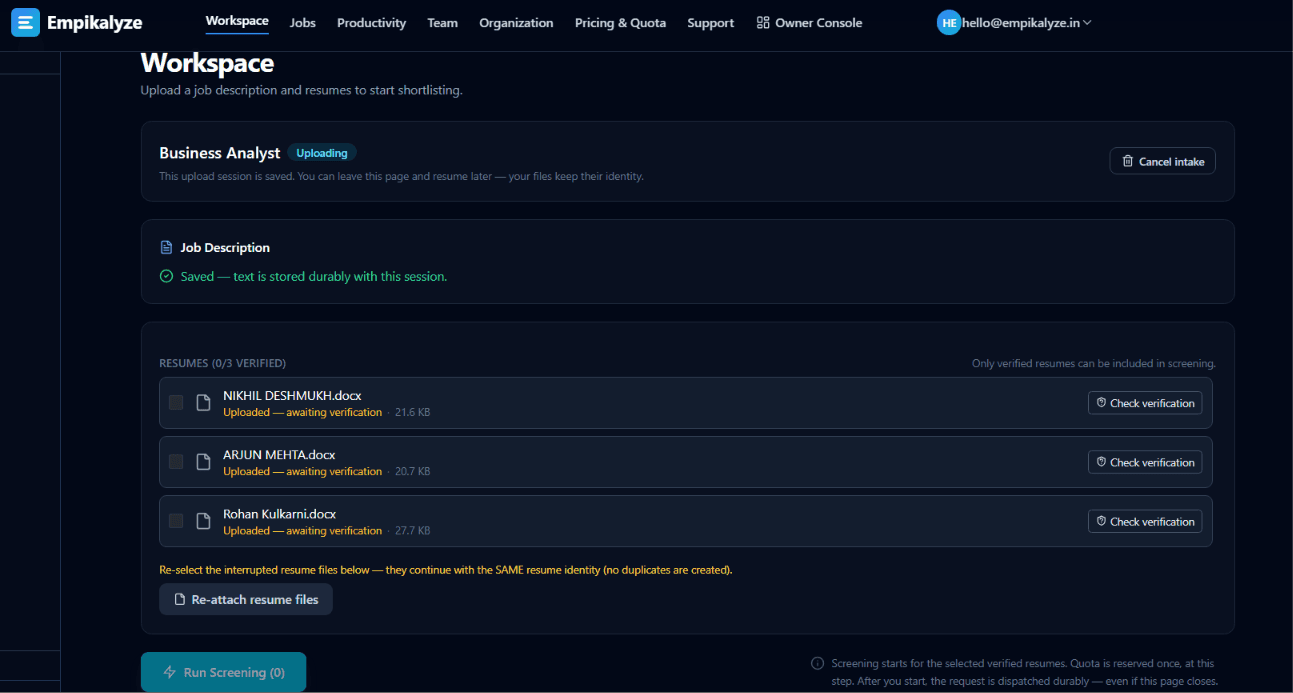
Every file's upload progress and verification state is now saved as you work. When you return to the Workspace, your most recent in-progress submission is restored: files that were already uploaded and verified are clearly marked, and only the remaining files need attention. Your job description is saved with the submission as well.
How it works now
Open the Workspace after an interruption and Empikalyze restores your in-progress submission automatically. Review the verified files, re-attach anything that is missing, choose which resumes to process, and start screening — no restart needed.